The Export Test: Why a Record Should Leave Through a Door You Can See
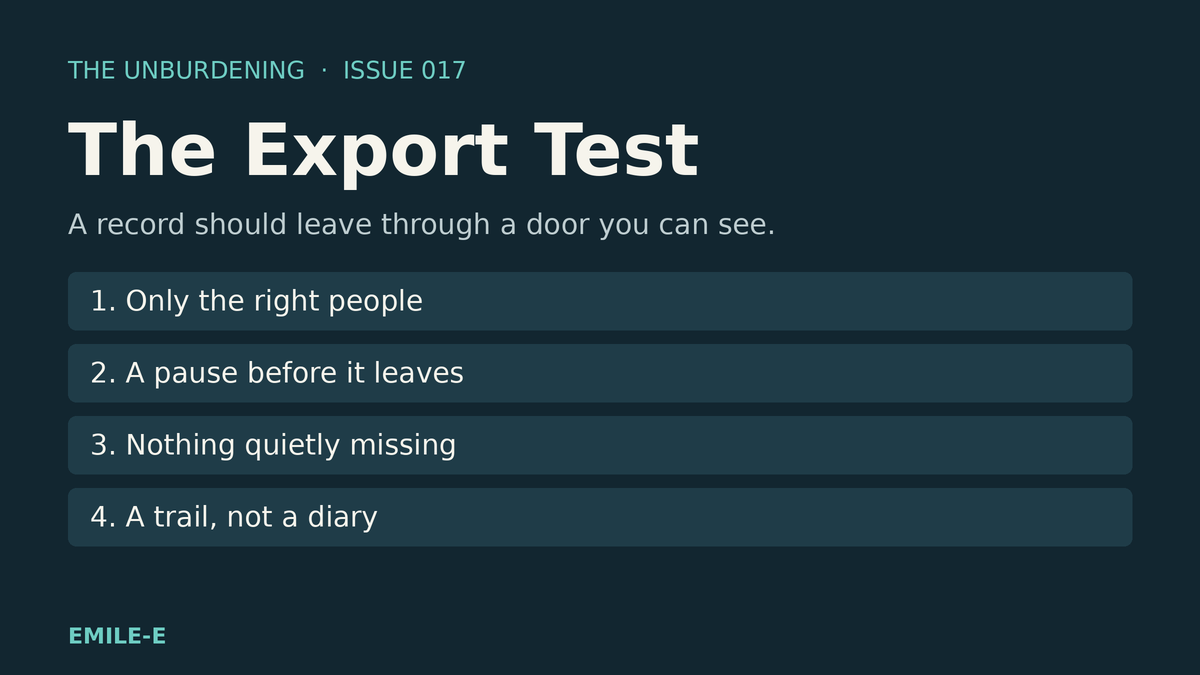
When a chart document has to leave the practice, it should leave on purpose. The Export Test is four questions any practice can ask, including of us: the right people, a pause, nothing quietly missing, a trail without a diary.

A clinician needs to print one form from a client's chart. It is a release of information the client filled in and signed. Someone outside the practice is waiting for it.
The form is right there on the screen. There is no button to print it.
So the clinician does what people do. A screenshot. A phone photo of the monitor. A copy pasted into a document on a personal laptop. The form gets where it needs to go, and the practice has no idea how it got there, who else might have a copy, or whether anything was left out.
That is not carelessness. It is what happens when a tool treats getting a record out as somebody else's problem.
This Issue of The Unburdening names an Export Test for independent and small-group practices: when protected health information leaves your software, does it leave on purpose, through a door you can see?
The workaround nobody chose
Every practice prints. Releases go to schools and attorneys. Forms go to another provider. A client asks for their own paperwork. None of that is unusual, and none of it is going away.
What varies is how it happens. When the software has no clean way to produce a document, staff improvise, and every improvisation is a copy the practice cannot account for. The screenshot sits in a camera roll. The pasted copy sits in a downloads folder. Nobody meant for that to happen. The tool just never offered anything better.
The Export Test
Ask whoever maintains your practice software, or try it yourself. Score each answer: solid, workable, or brittle.
- Only the right people. Can a person who should not see this chart's documents also not print them, checked by the system and not just hidden by the screen?
- A pause before it leaves. Before a document with protected health information is produced, does the person get a plain reminder of what they are about to carry out of the system, with a real chance to stop?
- Nothing quietly missing. If something cannot be included, does the export say so by name, instead of handing over a file that looks complete and is not?
- A trail, not a diary. Is there a record that an export happened, by whom and when, without that record copying names and titles into yet another place?
If any one of those four is brittle, the documents are leaving through a side door. Good intentions do not lock doors.
The earlier tests still apply
The Presence Test asks whether a tool reduces cognitive load at the moment of care. The Front Door Test asks whether a client can find the next step. The Update Test asks whether every change earns trust. The Draft Test asks whether work in motion stays put. The Claims Test asks whether getting paid protects the room. The Access Test asks whether a person who cannot be seen stays connected. The Waitlist Test asks whether offering a spot keeps the person waiting small. The Count Test asks whether a number survives an edit. The Receipt Test asks whether proof of payment reaches the right hands. The Assignment Test asks whether a shared chart keeps each person's work their own. The Log Test asks whether your software keeps your people out of its diary. The Signature Test asks whether a plan reaches the person it is about.
The Export Test is the one about the door out. It asks whether the practice knows when its records leave.
Holding ourselves to it
We should be graded by the same four questions, so here is a recent example of our own instead of a hypothetical.
A clinician using Practice OS needed to print a client's release of information that had been filled in as a form in the system. There was no way to do it. That was our gap, not hers.
A Practice OS update that is now live in production added Print / save as PDF to a client's Files tab. Staff tick the completed forms and files they need, and the system builds them into one PDF. A single completed form can also be printed from its own answers view.
Who can print is checked on the server, not only in the screen. Office staff can print from any chart, and clinicians can print from charts where they are on the client's care team. A clinician who is not on the care team, billing staff, and client or family logins are refused. That is the first question.
Before the PDF is made, a short notice says how many documents are about to be printed or saved from that client's chart and that they contain protected health information, with Cancel and Continue. Every page of the PDF carries a confidentiality line with who printed it and when, and pages from files marked as covered by federal substance use confidentiality rules carry the required redisclosure notice. That is the second question.
If a document cannot go in, the PDF says so. Files the system cannot print, such as word processing files or spreadsheets, are listed by name on a last page that says to download them from the chart, and the screen says how many were left out. If a requested document belongs to another chart, is not finished, or cannot be fetched, the whole request is refused with the reason, rather than producing a PDF that quietly skips it. That is the third question.
Each PDF made writes exactly one entry to the practice's audit trail, shown as exported records, with counts and record IDs only, never a client name or a document title. If that entry cannot be written, no PDF is made. A refusal or a failure writes nothing. That is the fourth question.
Here is the honest limit. The audit trail can record that a PDF was made, by whom and when. It cannot follow the paper once it leaves the printer. Where a copy goes outside the practice is still governed by the release it serves and by the people handling it. Some file types are not included and still have to be downloaded separately. And a door you can see is only useful if someone looks at it now and then.
Run the four questions on that change and the grade is solid on all four inside the system. Outside it, the practice's own process still has to carry the weight. If a future change of ours fails one of the four, the test should catch it, and we would want to hear about it.
What good looks like (without theater)
You do not need a new records system. You need a few plain questions and a vendor willing to answer them.
- Only the right people: printing follows the same access as reading, enforced by the system.
- A pause before it leaves: a plain reminder at the moment of export, and a real Cancel.
- Nothing quietly missing: anything left out is named, or the export does not happen.
- A trail, not a diary: a record that it happened, without copying sensitive details into the log.
Wherever the answer is "we screenshot it," that is the design problem. Not a staff problem.
What to audit this week
Pick the last document your practice sent outside the building. Ask how it was produced, and whether anyone could tell you that from the system alone.
If the honest answer is a phone photo or a pasted copy, that is your first score.
Strengthen the brittle ones first. Tool shopping second.
Coordination is the product
EMILE-E builds for the practice side of this reality. Practice OS is meant to keep operational truth coherent so scheduling, notes and billing stop living as separate improvisations, including the moments when a record has to leave the chart. VibedIn and Sesh sit in that same family when the practice chooses them.
If a soft next step is useful: Practice OS is $89 per clinician per month. VibedIn is $49 per practice per month. Sesh is $10 per clinician per month.
Closing
Records leave a practice every week. The question is whether they leave through a door or a window.
Only the right people. A pause before it leaves. Nothing quietly missing. A trail, not a diary.
Score the four. Strengthen the brittle ones. Give your records a front door.
That is how a practice keeps the trust it was given, one document at a time.
The Unburdening is EMILE-E's practice-side letter on building mental health infrastructure that holds. Quiet coordination over tool sprawl.